Arcjam 2026 tips: how to plan, write, test, and submit your entry in time

Arcjam 2026 is about to start, and you're wondering how to make the most of the time available.
Arcjam rewards complete, well-crafted stories, and the teams that get there rarely do it on inspiration alone. This post walks you through how to organize your team, your time, and your Arcweave project, from the days before the countdown hits zero to the moment you press Submit.
Contents
- Before the jam: preparation
- Theme release: get clear before you get creative
- Structure first, details later
- Draft (and test)
- Rewrite (and test)
- Test (again) and let others test
- Polish and present
- Final checklist
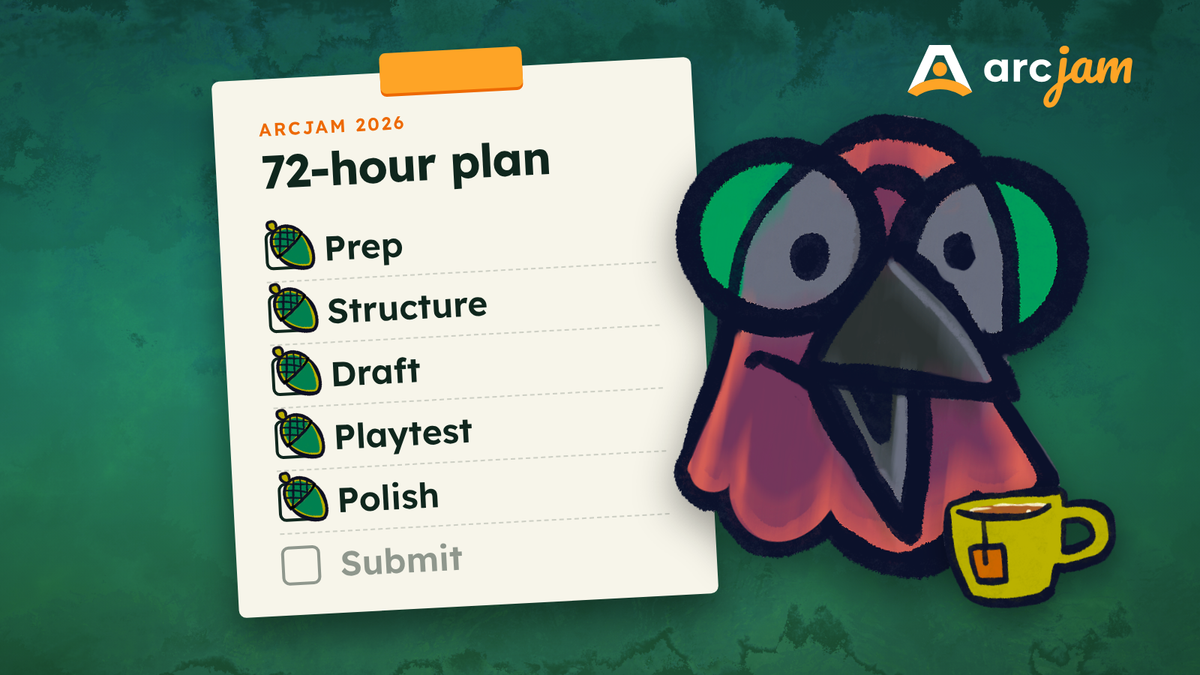
- A suggested 72-hour time budget
- After the jam
- Get ready
Before the jam: preparation
The theme is still under wraps, so preparation is the one thing you can work on now. At last year's 72-hour Arcjam, with around 120 participants, the teams that finished had a clear workflow before the timer started.
Take care of the admin work
- Join the Arcweave Discord for news, questions, and priority support during the jam.
- Create free Arcweave and itch.io accounts. Every team member needs both.
- Watch for the Pro workspace unlock email, which arrives one day before the jam.
Set up your team
You can go solo or team up with up to 8 people, but the sweet spot is 3–4. Decide who does what before the theme drops: lead writer, narrative designer, Arcscript and logic, art and audio, playtest coordinator. In a small team, people wear several hats; just make sure everyone knows which are theirs.
Agree on a short style sheet, too: tense, point of view, character names, and tone. And make sure everyone joins the jam on itch.io, so they can rate games afterward.
Line up your playtesters
You'll need fresh eyes during the jam, while there's still time to act on what they find. You don't want to be chasing your cousin Jim or your mom a few hours before closing time. Ask people now; fellow participants on Discord are an easy source.
Get comfortable with Arcweave
Arcweave is intuitive, but the jam is not the moment to open it for the first time. Practice the basics now: creating and connecting elements, adding a variable, and running your project in Play Mode. The Basic Tutorial Series and the Arcweave documentation cover everything, including the Share settings you'll use with playtesters.
Plan your assets
Images, audio, and video assets are welcome. If you plan to use work by someone outside your team, clear the rights and prepare the credits in advance; that responsibility is yours.
Know the AI rule up front, too: all content must be human-made, assets included, and AI features are locked in your jam workspace. Treat it as a real chance to practice your own craft.
Theme release: get clear before you get creative
The theme goes live and ideas start flying. This is where most jam projects quietly derail, not because the ideas are bad, but because nobody asks whether they fit in 72 hours.
Work with the theme
The theme is a creative prompt, not a rule. Take it literally, twist it, or let it shape a single mechanic, character, or mood. Theme Interpretation is a scored criterion, so give it real time. Try this: list ten interpretations, then cross out the first three. Everybody else will think of those too.
Pitch the idea to yourself
If you can't explain the beginning, middle, and end in 10 minutes, simplify. Think in three moments instead of three acts: the hook, the choice, and the payoff. At each one, ask where the player actually feels the theme. And scale to the occasion: a complete short story beats an unfinished epic.
Outline in Arcweave
Sketch the flow on a board before writing any prose: start, first choice, consequences, ending. When the whole story fits on one screen, scope problems show up in minutes. "This branch needs twelve scenes?" Cut it now, not on day three.
Action item: by the end of the first evening, have a one-paragraph pitch and a skeleton board.
Structure first, details later
You have a concept. Now comes the hardest part: not writing.
Resist writing
Linear writing feels productive until you hit a plot hole and have to restructure everything. Start with placeholder elements connected together, plus a few skeleton notes in each: this happens here, this happens next. You're building a map, not a manuscript.
Follow the critical path rule: one complete path from start to finish, plus no more than two meaningful branches. Everything else is optional, and it's the first thing to go when time runs short.
Let Arcweave organize your structure
- Break the story into boards, one per act or location, with consistent naming.
- Color-code elements by status: placeholder, drafted, polished.
- Use notes and comments: notes for TODOs, comments for team discussion attached to the element it's about.
Once the structure holds together, lock it. Screenshot it and pin it in your team chat as your north star.
Draft (and test)
The structure is locked. Now you write, and you write fast.
Write the first draft
Rough-draft the critical path from start to finish before you polish a single sentence. "Complete but rough" is a lot safer at hour 50 than "half-done and pretty." Keep passages screen-sized, and write choices as actions the player takes, not summaries of what happens next.
Wire up the logic
Add the variables that decide major outcomes or drive your mechanics, and keep them few. Then test while you build: run Play Mode as often as you can. If a choice promises "they'll remember this," check that a variable actually does; the Debugger shows your variables' values as you play.
Design choices that matter
The Excellence in Narrative Design Award goes to a game where gameplay and story meet. You don't need a complex system:
- Make choices consequential. Reflect decisions back at the player: a changed line of dialogue, a closed door, a character who remembers.
- Let mechanics carry meaning. Look for moments where a mechanic can say what the text doesn't have to.
Rewrite (and test)
Polish from the top down
Judges are players too, and they need a gripping opening far more than a perfect ending many may never reach. Put most of your polish into the opening and the first major choice.
Do a prose rhythm pass
The Excellence in Writing Craft Award goes to a game whose prose is a pleasure in itself. Give your text one pass purely for rhythm: read it aloud, vary sentence length, cut what doesn't pull its weight, and make every line of dialogue sound like its speaker.
Keep testing
Edits break things. A renamed element or a tweaked condition can quietly cut off a path, so keep playing through in Play Mode as you revise.
Test (again) and let others test
You know where every branch leads. Your players don't, and only fresh eyes can show you the difference.
Share with your playtesters
Bring in the testers you lined up early, before final polish. In your project's Share settings, set the link to "Can view & play" and send it. They play in the browser, with no downloads.
Ask them to flag problems, and fix them in this order:
- Major bugs: anything that stops the player from progressing.
- Confusing choices or sections: misread options, or moments where players lose the thread.
- Minor issues: typos, inconsistent names, small glitches.
You won't fix everything, and that's fine. If you have time to spare, ask testers to informally rate your game on the community criteria: Storytelling, Gameplay, and Theme Interpretation. A low score shows where to spend your remaining hours.
Action item: get at least one full outside playthrough before final polish, fix issues in priority order, then lock your content.
Polish and present
Your job now isn't to make the game bigger. It's to make it shippable and make it shine.
Resist last-minute features
Every jam has a team that had a working game, added "just one more branch," and broke everything. Lock your content a few hours before the deadline and spend the buffer on presentation.
Make it look finished
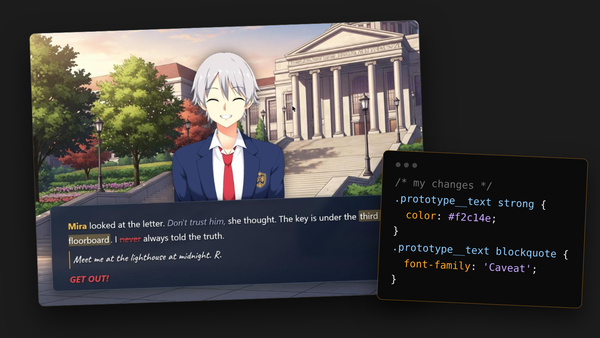
Customize your Play Mode with Arcweave's Style Editor: colors, readable fonts, styled buttons. Often the gap between "prototype" and "professional" is a little CSS. If you're new to it, How to customize your Arcweave game using CSS covers the basics. Going for a visual novel look? How to create a visual novel style in Arcweave Play Mode shows you how to build one, and Remix Arcweave Visual Novel template with CSS helps you make the Visual Novel template your own.
Then add an eye-catching cover image and a few screenshots to your itch.io page.
Write your game blurb
Your itch description is the first writing a player reads, so treat it as part of the game. In a few sentences, say what the story is about and why they should play it now.
Final checklist
- The game can be started and finished.
- All choices work.
- There are no dead ends.
- The opening is spell-checked (turn on spell checking in your project settings).
- The game is fully playable in English.
- Content warnings and age guidance are written.
- Credits are complete.
A suggested 72-hour time budget
| Hours | Focus | Duration |
|---|---|---|
| 0–6 | Theme exploration and pitch | 6 h |
| 6–16 | Structure locked | 10 h |
| 16–48 | Drafting and rewriting, with rolling Play Mode tests | 32 h |
| 48–60 | Outside playtests and triage | 12 h |
| 60–68 | Polish and presentation | 8 h |
| 68–72 | Submission buffer | 4 h |
| Total | 72 h |
And remember to sleep. Burnout is the most common reason good jam games stay unfinished.
After the jam
Rate other entries
Community ratings decide which games reach our industry guest judges, and those games get personalized feedback from each judge. Play and rate as many entries as you can.
Judges, awards, and prizes
The judges will pick the top three winners, plus three special awards: Excellence in Writing Craft, Excellence in Narrative Design, and Innovative Use of Technology. Meet the panel in Arcjam 2026: meet the industry guest judges and see what's at stake in Arcjam 2026: prizes announced.
Perks for every participant
- Free Arcweave Pro for your jam workspace until December 23rd.
- 50% off one Arcweave Pro or Team workspace for 12 months, if you're not already a subscriber.
- 20% off any Game Design Skills bootcamp during 2027.
Turn your entry into a portfolio piece
Write a short postmortem: what you set out to do, what worked, what you'd change. Credit everyone clearly. Hiring managers love to see it.
Get ready
Register for your free Arcweave account and start preparing for the jam.
Then, join the Arcweave Discord, register on itch.io, and work through the tutorial playlist this week. The teams that finish are the teams that prepared.
See you at Arcjam 2026.