Webinar: design advanced dialogue trees

If you've played a few adventure or RPGs, you've probably had some of the following experiences:
- The game lets you repeat the exact same dialogue cycles, giving you the same answers with no variations.
- You revisit an NPC, but they greet you like a stranger.
- Dialogue seems to be ignoring game state.
Arcweave's third webinar deals with this problem head on: how do you build dialogue that feels natural, remembers the story so far, and still scales as your project grows?
You can watch the whole recording of the webinar, below.
The demo game
To illustrate the above points, the webinar uses the example of a mystery mock game built in Arcweave and styled using the Play Mode's Style Editor.
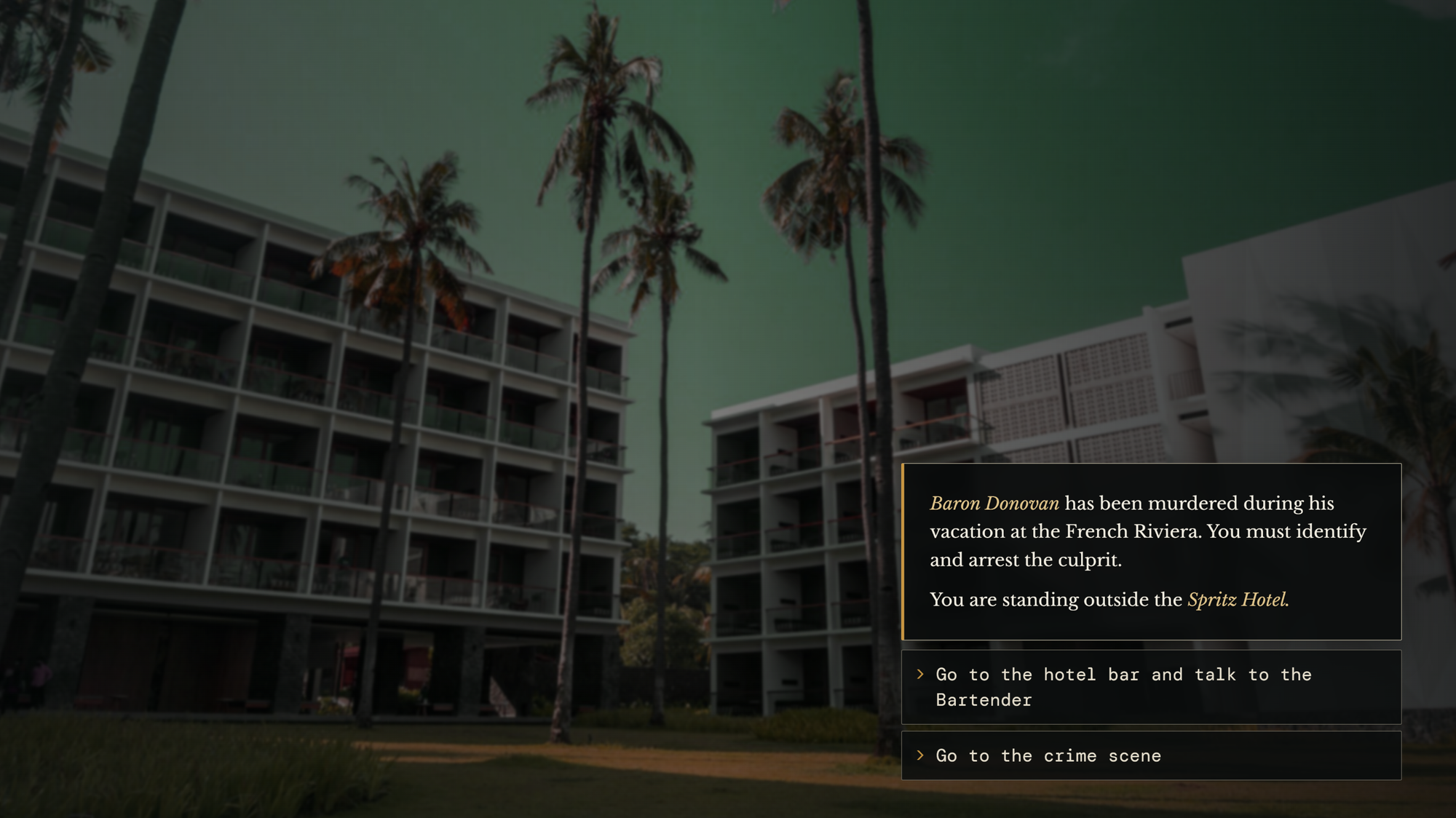
You must investigate a murder in a French Riviera hotel, given two main options:
- Talk to the hotel bartender.
- Visit the crime scene.
Dialogue tree structure
The dialogue with the bartender features the following ingredients:
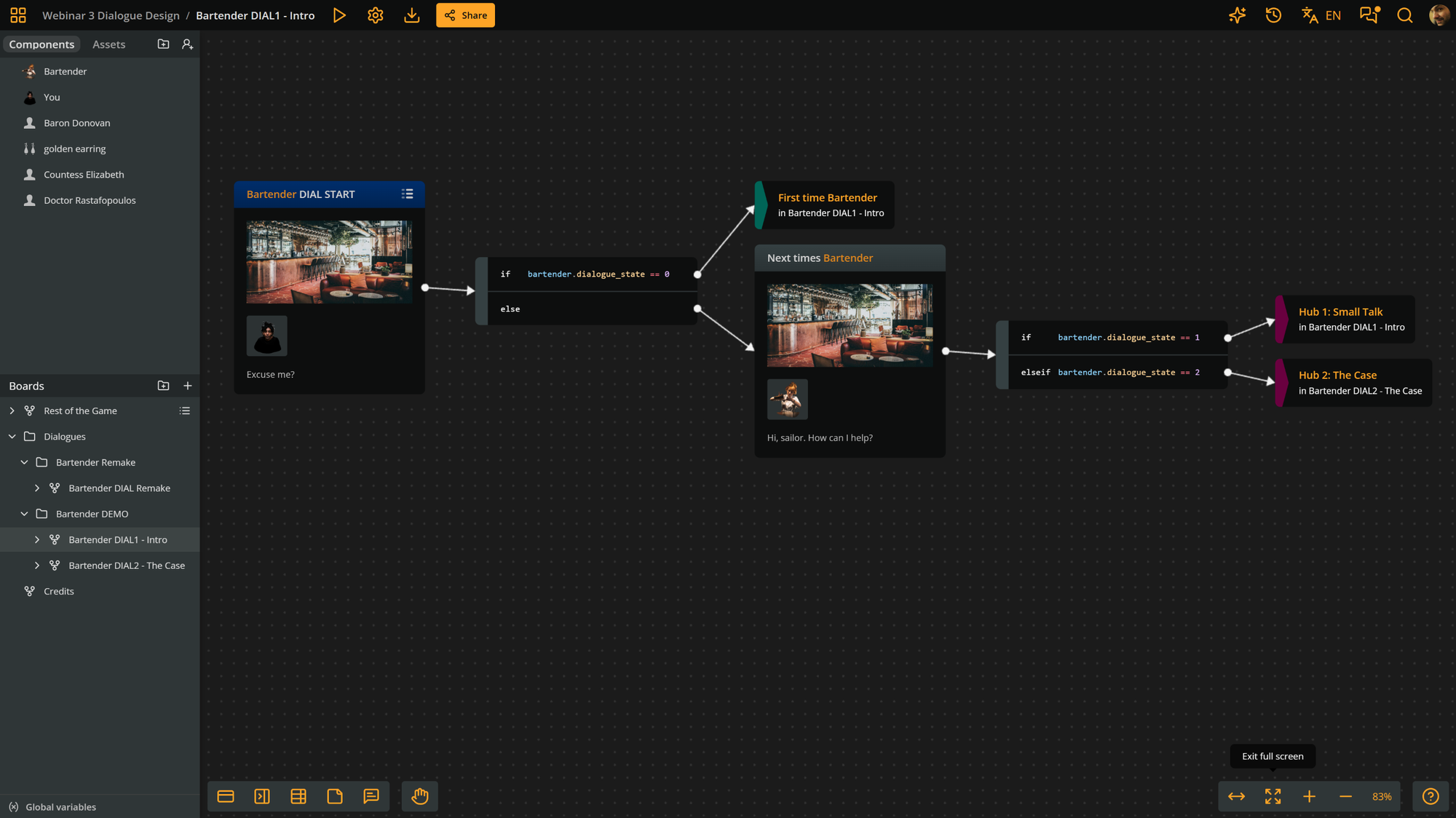
Dialogue-starting element
Every conversation with the NPC starts at the same element. What makes the conversation different is the set of conditions that follows, in the form of one or more Arcweave branches, which divert the flow to various parts of the dialogue tree.
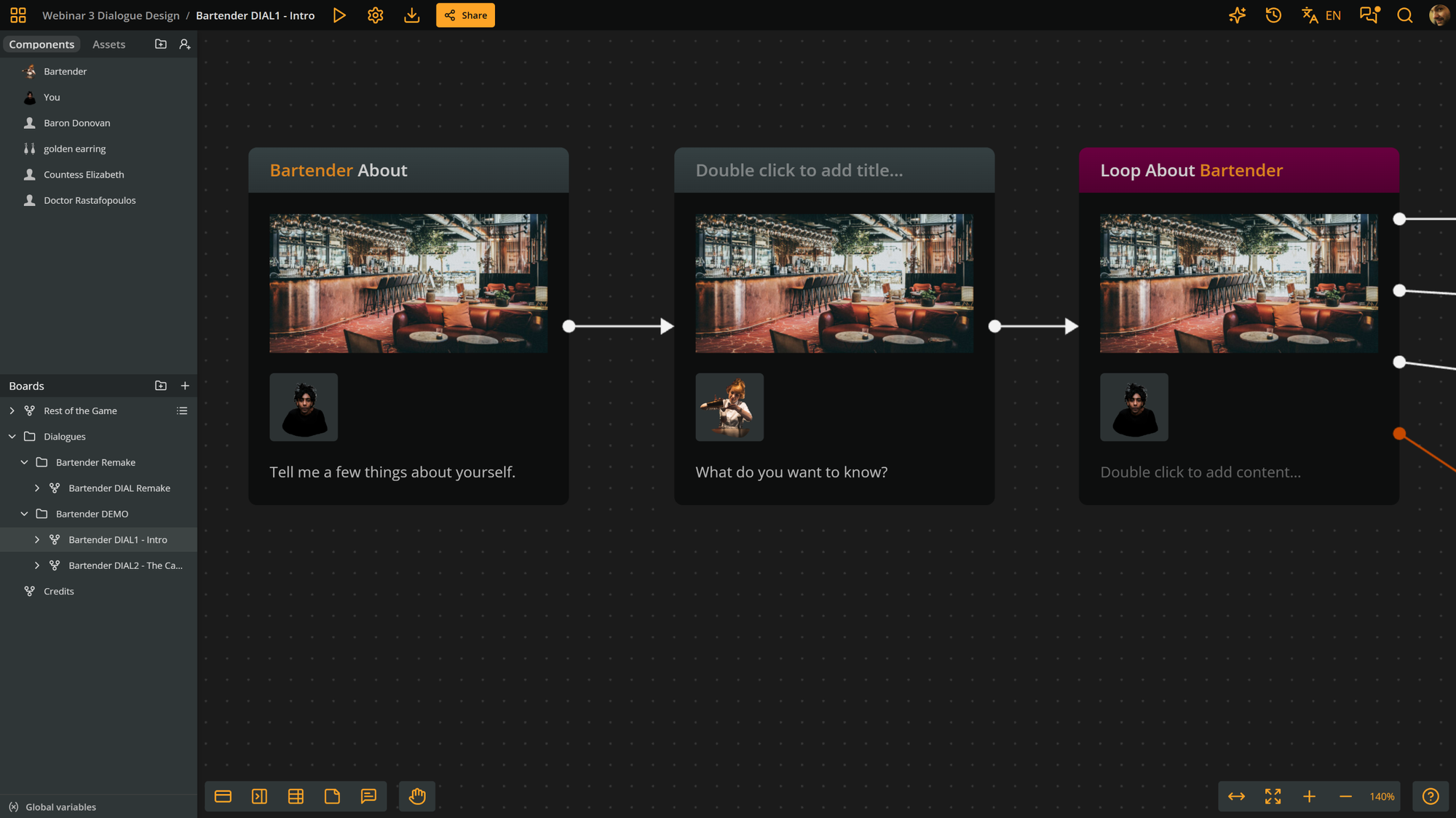
Character components
Each character, the Bartender and the Player, get their own component. We attach these character components to the dialogue elements, to mark the speaker of each line.
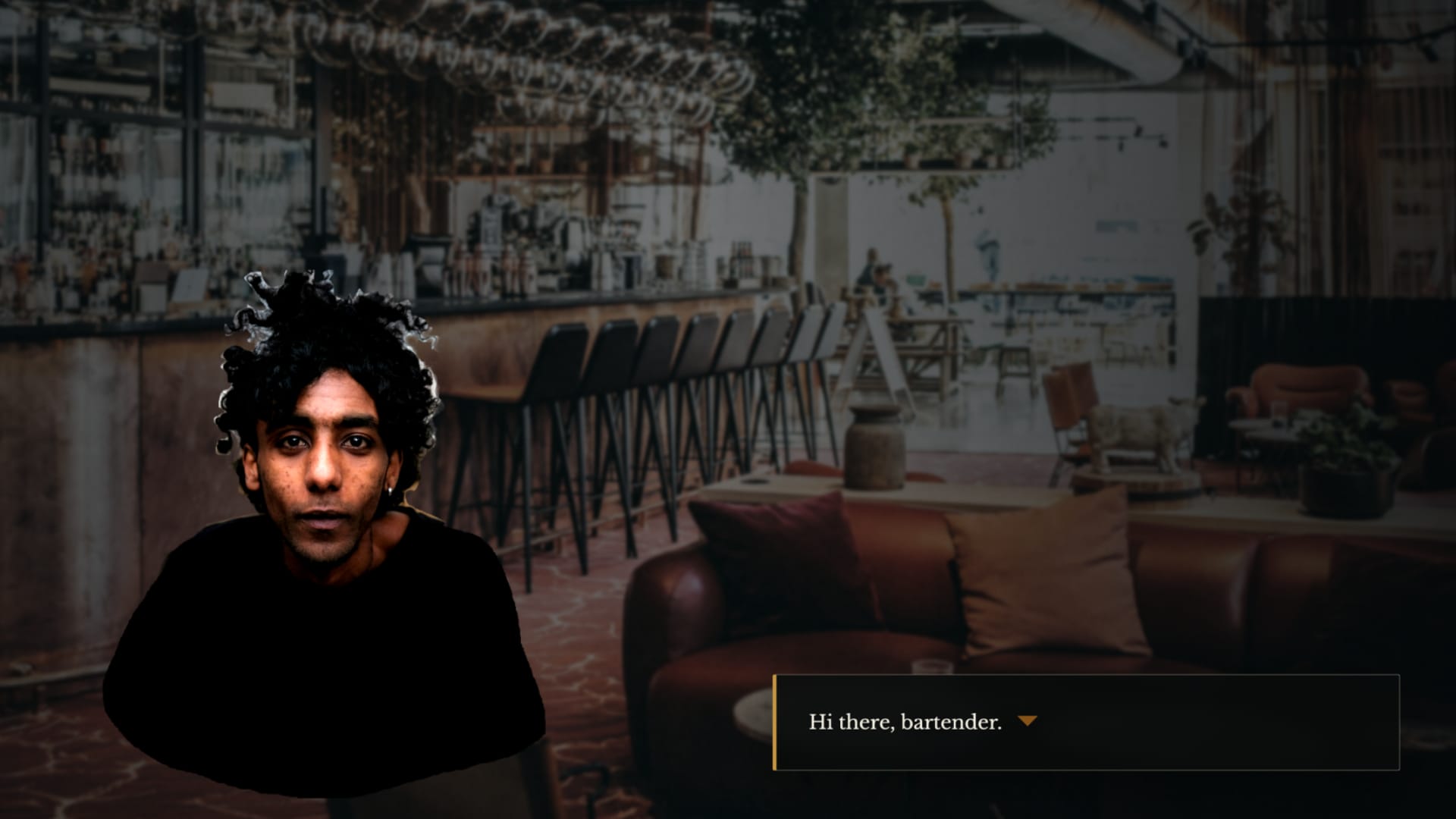
In Play Mode, the components appear as the speakers' avatars. You can manipulate their appearance using CSS in the Play Mode's Style Editor.
First-time dialogue
The bartender gives a one-time introduction ("Are you a sailor?") that never repeats.
Hubs
We call hubs the dialogue nodes (Arcweave elements) that the player can cycle through while choosing (and exhausting) topics. A topic triggers a branch of dialogue, which then sends the flow back to the hub, so another topic can be selected. Our example has the following hubs:
- Small-talk hub: The player can ask about the bartender, ask flavor-text questions, or leave at any time with an always-available "See you later."
- The "About NPC" sub-hub: The player can ask the bartender's name, where she's from, or backtrack saying "I don't mean to pry." Each option can only be asked once, and a new one ("Do you mean Paris, Texas?") unlocks after she says she's from Paris.
- Main topic hub: This is the hub where the player can find the murder-related topics:
- Ask the bartender if she's seen anyone suspicious.
- Show her an earring (an option that unlocks after you have found the earring in the murder scene).
- "See you later" option; always necessary, so the player can disengage from the dialogue when desired.
Handling of revisits
On later visits, the dialogue picks up at the checkpoint where the player left off: small-talk hub or main topic hub, depending on how far the dialogue has progressed.
Dialogue progression
After enough small talk, the conversation moves on to the murder case hub, i.e. the main topic hub. If the player revisits the NPC, the conversation will go straight to that hub, since they're already past the small talk stage.
The Bartender component gets an integer component variable called dialogue_state that keeps track of the dialogue's progress:
0: It's the first time the player speaks to the bartender. If the player speaks to the bartender anddialogue_state == 0, the dialogue intro is triggered anddialogue_stateswitches to1. Then, small talk is also triggered.1: Small talk is not yet done. If the player speaks to the bartender anddialogue_state == 1, small talk is triggered again. To move past small talk and into the discussion of the case, the player must ask a number of questions about the NPC. This way,dialogue_stateswitches to2.2: The characters have gone past small talk and have started discussing the murder case. If the player speaks to the bartender anddialogue_state == 2, the dialogue goes straight to the main topic hub, i.e. the case.
Loops
After a topic plays out, the flow returns to its nearest hub, so the player can choose another topic.
Conditional options
Locking or unlocking options using conditions (inside Arcweave branches) creates another layer of responsiveness and makes the dialogue feel like it's paying attention to the story state.
The availability of topics changes depending on what the player has already asked, seen or found. A topic disappears once discussed; another appears only after the player has found the golden earring.
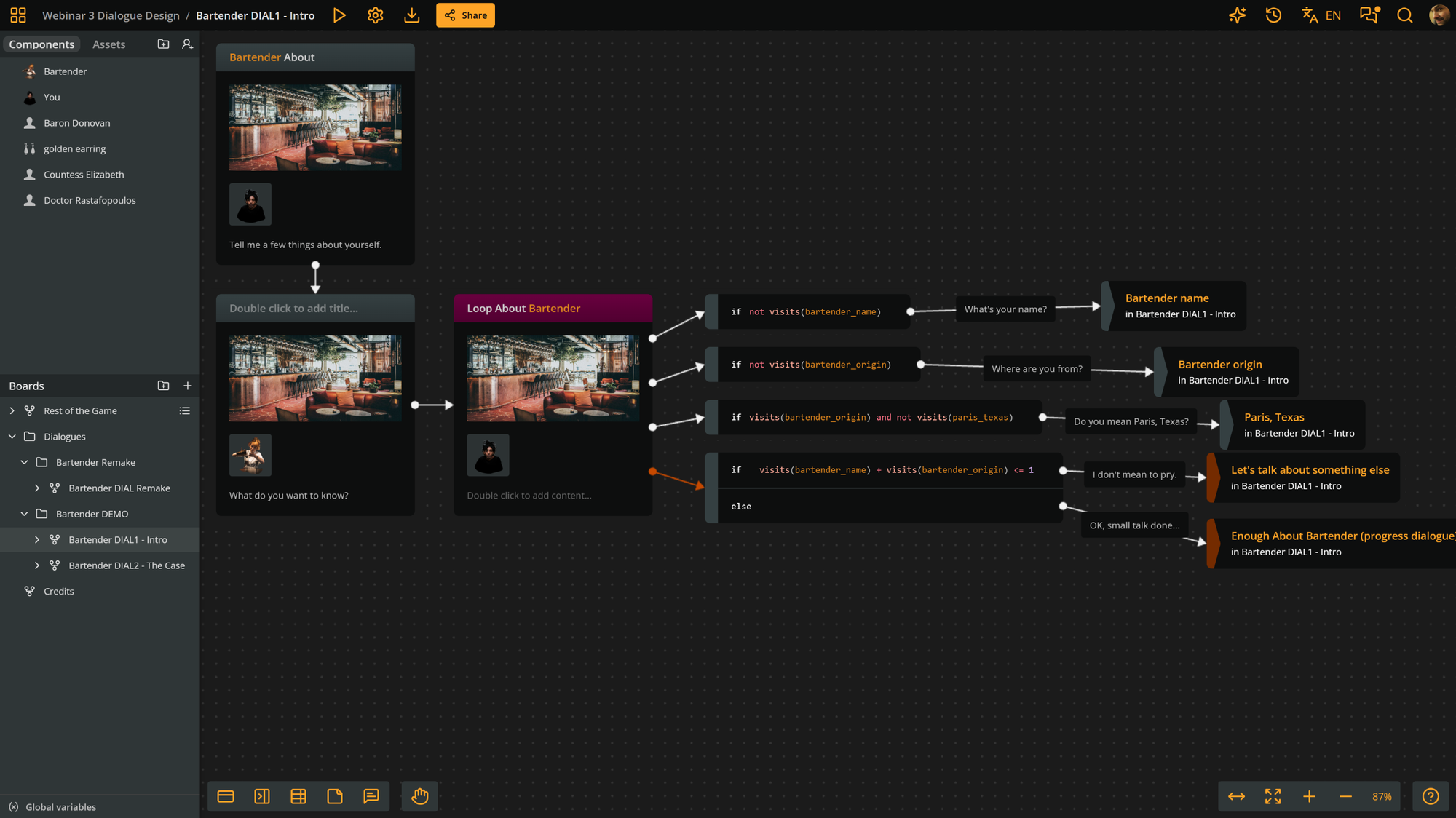
The visits() function counts how often an element has been visited. You can use it to make an option appear only once, or to unlock an option after another has been seen, like the Paris, Texas follow-up.
Flavor topics can be chained so that the next flavor option appears once the previous one has been visited. If you leave out the else, the option simply disappears when the options run out.
Branch conditions can combine variables and visits. For example, an option can depend on has earring being true and the earring not yet having been shown.
Exit options
We give players a way out of the dialogue; after a few revisits, a conversation with no emergency exits turns into a chore.
Variables
Variable scopes
Arcweave offers three scopes for variables:
- Component variables hold component-specific data, such as
player.healthorbartender.dialogue_state. - Board variables hold logic relevant to a single dialogue or board.
- Global variables hold project-wide data.
Visits or variables?
Both tools can gate dialogue, but they suit different situations.
Checking visits is a quick way to check if a specific element has been visited, but is poor fit when information can come from several places.
Variables are better for knowledge that multiple characters or scenes could provide, such as a piece of info that may come from various witnesses. It doesn't matter who gives the player the information, only that the player knows it.
Dialogue design advice
- Use first-time-only intro dialogue: Letting characters introduce themselves makes them feel more like real people, but you don't want the introduction to repeat next time.
- Use dialogue state checkpoints: Players resume where they left off instead of repeating the conversation from the start.
- Use topic hubs: Structure you dialogue topics in hub elements; this helps you organize your writing, but also makes sense to the player.
- Outline and playtest, and then write: First place the hubs and topic options, adding some basic output text; playtest immediately, to confirm the structure works. Then, you can write the actual dialogue lines.
- Stay organized. Use separate boards and folders (for example, Dialogue Bartender), and spread long dialogues across several boards, splitting them at checkpoints.
- Color code: Distinguish hubs, intros, exits, and error messages at a glance.
If you'd like to join live our next webinar, hop into our Discord server, where we announce each session ahead of time. We'd love to see you there.